
Does your computer setup feel like it’s missing something big? You hear the music, you see the action in your games, but you don’t *feel* the power. That deep, rumbling bass that makes everything come alive is often the missing piece in a standard desktop speaker system. Many people buy basic speakers and then realize their favorite songs sound flat or explosions in movies just don’t pack a punch.
Choosing the perfect PC subwoofer can feel overwhelming. Should you go big or small? Wired or wireless? There are so many technical terms and confusing specifications! You want that rich, immersive sound experience without wasting money on a system that doesn’t fit your desk or your budget. This is where many users get stuck, ending up with weak sound or a complicated setup.
This guide cuts through the noise. We will break down exactly what you need to know about PC subwoofers. You will learn the key features to look for, understand the difference between sizes, and discover how to match a subwoofer perfectly to your gaming or music setup. Get ready to transform your desktop audio from dull to dynamic!
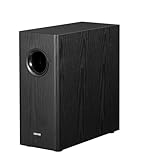
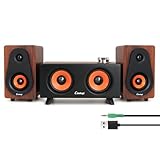
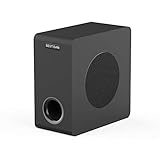
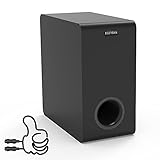
Top Pc Subwoofer Recommendations



The Ultimate Buying Guide for Your PC Subwoofer
Adding a subwoofer to your PC setup makes a huge difference. It brings deep, rumbling bass to your music, games, and movies. Choosing the right one can seem tricky. This guide helps you pick the best subwoofer for your desk.
Key Features to Look For
When shopping, focus on these important features. They tell you how well the subwoofer will perform.
Power Output (Wattage)
Power is measured in watts (W). More watts usually mean louder sound. For a small desk setup, 30W to 60W is often enough. If you want loud, room-shaking bass, look for 100W or more. Check if the wattage is RMS (continuous power) or Peak (short bursts). RMS is more honest about performance.
Size and Driver Diameter
The driver is the speaker cone that moves the air. Bigger drivers move more air, creating deeper bass. PC subwoofers usually have drivers between 4 inches and 8 inches. A larger driver (like 6.5 inches) offers deeper lows than a smaller one (like 4 inches).
Connectivity Options
How will you connect it to your computer? Most PC subwoofers use a standard 3.5mm auxiliary (AUX) cable. Some modern systems use USB or Bluetooth. Make sure the subwoofer matches your PC’s outputs.
Enclosure Type
Subwoofers usually come in two main box types:
- **Sealed Enclosure:** These boxes offer tight, accurate bass. They sound very clean.
- **Ported (Vented) Enclosure:** These boxes use a port (a hole) to boost the bass volume. They often sound louder and boomier.
Important Materials and Build Quality
The materials used affect sound quality and how long the subwoofer lasts.
Driver Material
The cone material matters. Paper cones are common and offer a natural sound. Polypropylene (a type of plastic) is durable and resists moisture well. High-end models might use materials like aluminum for a very fast response.
Cabinet Material
The box itself should be strong. Most good subwoofers use Medium Density Fiberboard (MDF). MDF is heavy and dense. This heaviness stops the box from vibrating and coloring the sound. Thin plastic cabinets often rattle when the bass gets loud.
Factors That Improve or Reduce Quality
Good sound isn’t just about size; it’s about control.
Adjustability (Controls)
The best subwoofers let you tune the sound. Look for controls for **Volume** and **Crossover Frequency**. The crossover lets you decide which low sounds the subwoofer handles versus your main speakers. More controls mean better sound matching.
Bass Reflex Design
A well-designed bass reflex port (if ported) greatly improves low-frequency output without needing huge power. Poorly designed ports can create unwanted “chuffing” or humming noises.
Amplification
Most PC subwoofers use an **Active** design. This means the amplifier is built right into the subwoofer unit. Ensure the amplifier matches the driver size well. A weak amplifier trying to push a large driver will sound distorted.
User Experience and Use Cases
Think about where and how you will use your new subwoofer.
Desk Space
Subwoofers take up space. Measure the area under or next to your desk. If space is tight, look for smaller, cube-shaped models or those designed to sit vertically.
Use Cases
- **Gaming:** Gamers need fast, impactful bass for explosions and footsteps. Look for good transient response (how quickly the bass starts and stops).
- **Music Listening:** Music lovers often prefer tighter, more accurate bass that blends smoothly with the main speakers. Sealed enclosures work well here.
- **Movies/Videos:** If you watch a lot of action movies, you need volume and deep rumble. Ported designs often shine in this area.
10 Frequently Asked Questions (FAQ) About PC Subwoofers
Q: Do I need a subwoofer if I already have good PC speakers?
A: Yes. Standard speakers cannot produce the very low, deep bass notes (below 80Hz) that a dedicated subwoofer handles easily. It completes the sound range.
Q: What is the crossover frequency setting?
A: The crossover sets the point where your main speakers stop playing bass and the subwoofer takes over. Most people set this between 80Hz and 120Hz for a smooth transition.
Q: Can I use a huge home theater subwoofer with my PC?
A: You can, but it might be difficult. Home theater subs often need a specialized amplifier or power connection that a standard PC setup does not provide. They are also often too large for a desk.
Q: Is a wired or wireless connection better for bass?
A: A wired connection (3.5mm or RCA) is almost always better for bass quality. It avoids signal loss and latency (delay) sometimes found in Bluetooth connections.
Q: What does “down-firing” mean for a subwoofer?
A: A down-firing subwoofer has its speaker cone pointing toward the floor. This design often works well on carpet or hard floors because the sound reflects evenly around the room.
Q: How do I know if the bass is too loud or distorted?
A: If you hear buzzing, rattling, or if the bass sounds muddy and covers up the voices, the bass is too loud or the subwoofer is clipping (being pushed too hard). Turn down the bass volume control.
Q: Should I buy a subwoofer with a built-in amplifier?
A: For PC use, yes. Nearly all PC subwoofers are “active,” meaning they have the amplifier built in. This simplifies setup greatly.
Q: Does the subwoofer need to match my main speakers exactly?
A: It helps, but it is not mandatory. The most important thing is that you can adjust the crossover frequency so the subwoofer blends its sound smoothly with your satellite speakers.
Q: What is the best placement for a PC subwoofer on a desk?
A: The best spot is usually on the floor, near the front of your desk, slightly off-center. Experimentation is key, as room acoustics change bass response.
Q: Are smaller subwoofers adequate for gaming?
A: Smaller subwoofers (4-inch drivers) are great for tight desk spaces. They provide punchy bass for games, though they might not shake the whole room like a larger unit can.