
So, how long do dashcams record when your car is off? Most dashcams won’t record continuously when your car is off unless they are specifically designed with advanced features like parking mode recording and are hardwired into your vehicle’s power system. The duration is limited by the dashcam’s power source and its programmed recording settings.
Many drivers wonder about this, especially after encountering incidents in parking lots. It’s a valid concern because a dashcam’s primary purpose is to capture events, whether you’re driving or parked. The ability to record when the engine is off is crucial for security and evidence gathering. This feature allows your dashcam to act as a vigilant eye, watching over your vehicle even when you’re away.
This comprehensive guide will delve into the various aspects of dash cam recording duration when your car is parked. We’ll explore the different dash cam power options, how parking mode recording works, and the factors that influence how long your dashcam can capture footage. We’ll also discuss essential considerations like battery drain dash cam scenarios and how to prevent them, along with the importance of proper dash cam installation.
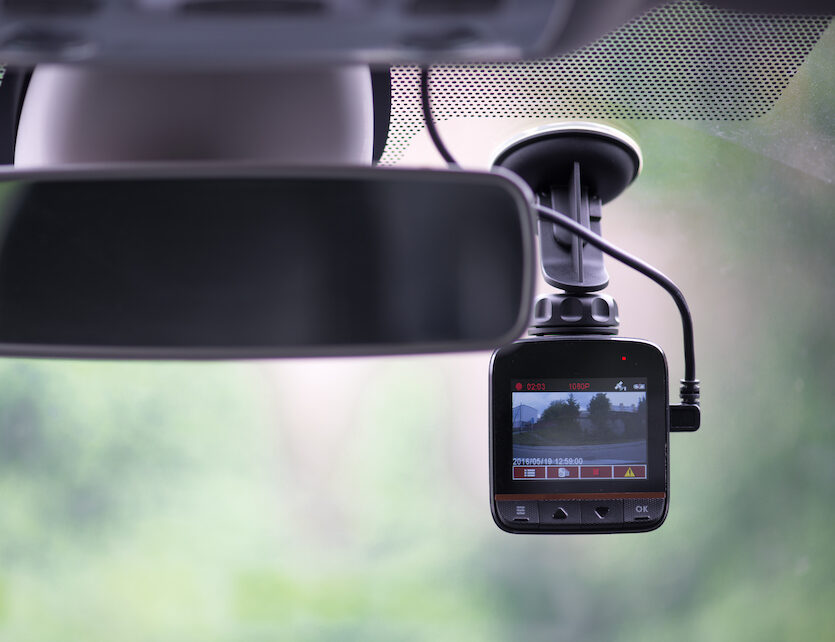
Image Source: insure2drive.co.uk
Deciphering Dash Cam Power Sources
The way your dashcam receives power is the most significant factor determining how long it can record when your car is off. Without a constant power supply, any recording capability will cease once the internal battery depletes.
Direct Car Power and Its Limitations
When your car is on, the cigarette lighter adapter or a wired connection to your car’s fuse box typically powers the dashcam. This is a straightforward setup that keeps the dashcam running as long as the engine is on. However, when you turn the ignition off, the power supply to these outlets is usually cut.
- Cigarette Lighter Socket: Most cigarette lighter sockets are designed to only provide power when the ignition is in the “accessory” or “on” position. As soon as the key is turned to “off,” the power is cut. This means your dashcam will stop recording.
- Wired to Ignition-Switched Fuses: When a dashcam is hardwired to fuses that are only active when the ignition is on, the same limitation applies. The dashcam will power down when the car is turned off.
This is where the need for specialized solutions for parking mode recording becomes apparent.
The Role of the Dash Cam’s Internal Battery
Some dashcams come equipped with a small internal battery. This battery can power the dashcam for a very limited time after the external power source is removed.
- Brief Recording: The internal battery is typically only sufficient for a few minutes of recording. This is often just enough to save the current recording segment or to allow the dashcam to shut down gracefully.
- Not for Extended Monitoring: It’s important to note that these internal batteries are not designed for extended parking mode recording. They are a safety feature, not a primary power source for parked surveillance.
Specialized Dash Cam Power Options for Parking Mode
To achieve longer parking mode recording, dashcams require a continuous power supply even when the car’s engine is off. This is achieved through several specialized dash cam power options:
1. Hardwiring Kits with Battery Protection
This is the most common and recommended method for enabling parking mode recording. A specialized hardwiring kit connects your dashcam directly to your car’s battery and fuse box.
- Ignition Sense Wire: Most of these kits include an “ignition sense” wire. This wire tells the dashcam when the car is turned on and off. When the car is off, the dashcam switches to its parking mode.
- Voltage Cut-off Feature: Crucially, these kits have a built-in car battery protection feature. This feature monitors the car battery’s voltage. If the voltage drops below a pre-set level, the kit will automatically cut power to the dashcam. This prevents the dashcam from draining your car battery completely, ensuring you can still start your vehicle.
- Dash Cam Installation: Proper dash cam installation is key here. Understanding your car’s fuse box and using the correct fuse taps is essential for a safe and effective connection.
2. External Dash Cam Battery Packs
These are essentially portable power banks designed specifically for dashcams.
- Dedicated Power Source: They are charged by your car’s electrical system when the engine is running. Once the engine is off, the battery pack takes over, powering the dashcam.
- Capacity Matters: The recording duration when parked is directly dependent on the capacity (measured in mAh or Wh) of the battery pack. Larger capacity packs will allow for longer recording times.
- Installation: These packs typically connect between the dashcam and the car’s power source. They might require a bit more effort during dash cam installation compared to simple plug-and-play adapters.
- Recharging: It’s important to ensure your car is driven regularly to keep these external battery packs adequately charged.
3. Dash Cams with Integrated Batteries (Less Common for Long Parking)
Some dashcams have larger, built-in batteries than standard models.
- Limited Duration: While these offer more “on their own” power than basic internal batteries, they are still generally not designed for prolonged, continuous parking mode recording. They might last a few hours at most, depending on the battery size and recording settings.
- Heat Sensitivity: It’s worth noting that large lithium-ion batteries can be sensitive to extreme temperatures, which can affect their performance and lifespan.
How Parking Mode Recording Works
Parking mode recording is the feature that allows your dashcam to capture events when your car is parked and the engine is off. There are different types of parking modes, each with its own way of conserving power and capturing relevant footage.
Continuous Recording in Parking Mode
Some dashcams, when properly powered via a hardwiring kit with battery protection or an external battery pack, can continue recording continuous recording even when the car is off.
- Power Consumption: This mode consumes the most power. The duration is entirely dependent on the power source’s capacity.
- Full Surveillance: It provides the most comprehensive surveillance but also carries the highest risk of battery drain dash cam if the power source isn’t sufficient or if the car battery protection isn’t set correctly.
Motion Detection Recording
This is a more power-efficient method for parking mode recording. The dashcam continuously monitors its surroundings using its lens.
- Saves Power: When the dashcam detects movement in its field of view, it wakes up and begins recording. This significantly conserves power compared to continuous recording.
- Trigger for Recording: The sensitivity of the motion detection can usually be adjusted. Setting it too high might lead to frequent, unnecessary recordings from passing cars or pedestrians, while setting it too low might miss crucial events.
- Recording Duration: The dashcam will typically record for a set duration after detecting motion, or until motion ceases.
Impact Detection (G-Sensor)
Most dashcams have a built-in G-sensor (accelerometer) that detects impacts.
- Event Trigger: If your parked car is hit, bumped, or even experiences a sudden jolt (like a strong gust of wind or a nearby car door slamming), the G-sensor will trigger the dashcam to start recording.
- Saving Important Clips: This is particularly useful for capturing evidence of hit-and-run incidents. The recorded clip is usually saved in a protected folder that won’t be overwritten.
- Power Efficiency: Similar to motion detection, this is a very power-efficient method as it only records when an event occurs.
Time-Lapse Recording
Time-lapse mode records at a very low frame rate (e.g., 1 or 2 frames per second) instead of the standard 30 frames per second.
- Saves Power and Storage: This dramatically reduces power consumption and the amount of storage space required.
- Capturing Extended Periods: It’s excellent for observing slow events or capturing a long period in a condensed video format. For instance, you can record an entire 8-hour parking session in a few minutes of footage.
- Visualizing Changes: This mode can be useful for monitoring long-term parking situations, like if your car is parked for an extended period.
Factors Influencing Dash Cam Recording Duration When Off
Several factors influence how long your dashcam can record when your car is off. It’s not just about the dashcam itself; the entire power system and its settings play a vital role.
Power Source Capacity
This is the most critical factor.
- Car Battery: If relying solely on the car’s battery via a basic hardwire kit without a battery pack or advanced power management, the duration is severely limited by the car battery’s capacity and the dashcam’s power draw. Car battery protection is paramount here.
- External Battery Pack: The larger the capacity of the external battery pack, the longer your dashcam can record. A 5,000 mAh battery pack will last significantly longer than a 2,500 mAh pack.
- Dash Cam Power Consumption: Different dashcams have different power requirements. Higher resolution cameras, cameras with built-in Wi-Fi constantly transmitting, or cameras with multiple lenses will consume more power.
Dash Cam Settings
The settings you choose on your dashcam directly impact its dash cam recording duration.
- Recording Resolution: Higher resolutions (e.g., 4K) consume more power than lower resolutions (e.g., 1080p).
- Frame Rate: Recording at 60fps uses more power than 30fps.
- Parking Mode Type: As discussed, continuous recording will drain power much faster than motion detection or impact detection modes. Time-lapse also uses significantly less power.
- Screen Brightness: If your dashcam has a screen that remains on, it will use more power. Most parking modes will turn off the screen or dim it considerably.
- Wi-Fi Connectivity: If Wi-Fi is enabled and actively transmitting data, it will increase power consumption.
Ambient Temperature
Extreme temperatures, both hot and cold, can affect battery performance.
- Cold Temperatures: Can reduce the capacity of batteries (both internal and external) and slow down electronic processes, potentially shortening recording times.
- Hot Temperatures: Can cause batteries to overheat, leading to reduced efficiency and in extreme cases, damage or safety shutdowns. Dashcams placed behind a windshield in direct sunlight can get very hot.
Voltage Cut-off Settings (for Hardwired Kits)
For hardwiring kits with battery protection, the voltage cut-off setting is vital.
- Choosing the Right Level: Setting the cut-off voltage too low means the dashcam might run longer, but you risk draining your car battery too much. Setting it too high means the dashcam will stop recording prematurely, even if your car battery still has plenty of power.
- Car Battery Health: The health and age of your car battery also play a role. An older battery might not hold a charge as well, requiring a higher voltage cut-off to prevent it from being drained.
Calculating Dash Cam Recording Duration
It’s challenging to give an exact number for “how long” because it’s so variable. However, we can look at some scenarios and estimations.
Estimating Power Draw
Dashcams typically draw between 0.5A and 1.5A when recording. Let’s use an average of 1A for estimation purposes.
A standard car battery is typically around 50Ah (Ampere-hours) or 600Wh (Watt-hours). However, it’s crucial not to drain a car battery below 50% charge to ensure it can still start the car. So, we have roughly 25Ah or 300Wh of usable capacity from the car battery for the dashcam.
Scenario 1: Basic Hardwiring (No Battery Pack, No Parking Mode Logic)
If a dashcam is hardwired to a circuit that remains powered when the car is off, and it just records continuously, it will drain the car battery relatively quickly.
- Calculation: 25Ah (usable car battery capacity) / 1A (dashcam draw) = 25 hours of continuous recording.
- Real-world Caveat: This is a highly optimistic scenario. Most cars have other systems that might draw power, and relying solely on the car battery without protection is highly discouraged due to the risk of being stranded.
Scenario 2: Hardwiring Kit with Voltage Cut-off
This is a much more realistic and safer approach. Let’s assume a voltage cut-off set at 12.0V.
- Dash Cam Recording Duration: The dashcam will record until the car battery voltage drops to 12.0V. The actual recording time will depend on how quickly the battery voltage drops, which is influenced by the dashcam’s draw and the battery’s overall health. This could range from a few hours to over 24 hours, depending on the factors mentioned above.
Scenario 3: External Battery Pack
Let’s consider a common 10,000 mAh (or 10Ah) external battery pack. Dashcams typically draw around 0.5A to 1A in parking mode.
- Using Motion Detection (0.5A draw): 10Ah / 0.5A = 20 hours of recording.
- Using Continuous Recording (1A draw): 10Ah / 1A = 10 hours of recording.
- Combined Usage: Most users will utilize a combination of motion detection, impact detection, and perhaps some short periods of continuous recording (e.g., if triggered by motion), making the actual duration highly variable but often lasting through an entire day or night.
Table: Dash Cam Power Options and Recording Duration Estimates
| Power Source Option | Typical Recording Mode When Car Off | Estimated Duration (General) | Pros | Cons |
|---|---|---|---|---|
| Cigarette Lighter Adapter | None (powers off with car) | N/A | Simple setup, easy to plug-and-play. | No parking mode recording capability. |
| Internal Dash Cam Battery | Limited continuous | Minutes to 1-2 hours | Minimal, basic protection against power loss during shutdown. | Not suitable for extended monitoring; battery capacity is very small. |
| Hardwiring Kit (Basic, no protection) | Continuous | Hours (risky) | Provides continuous power when car is on. | High risk of battery drain dash cam if ignition is off; can leave you stranded. |
| Hardwiring Kit (With Battery Protection) | Parking modes (Motion, Impact, Time-Lapse) | Hours to 24+ hours | Car battery protection prevents draining; efficient power usage; reliable. | Requires proper dash cam installation; relies on car battery health. |
| External Dash Cam Battery Pack | Parking modes | Hours to 24+ hours | Independent power source; extends recording significantly; portable. | Requires charging (usually by car); adds cost and an extra component; capacity determines duration. |
| Dash Cam with Larger Integrated Battery | Parking modes | Hours | Can offer slightly longer standalone operation. | Still limited compared to dedicated solutions; battery life can be impacted by heat. |
Preventing Battery Drain Dash Cam Scenarios
Battery drain dash cam is a common concern for users wanting parking mode recording. Here’s how to prevent it:
- Use a Quality Hardwiring Kit with Battery Protection: This is the single most effective way to prevent draining your car battery. Ensure the kit has adjustable voltage cut-off settings.
- Choose the Right Parking Mode: If you don’t need constant recording, opt for motion detection, impact detection, or time-lapse recording. These modes use significantly less power.
- Adjust Sensitivity Settings: Fine-tune motion detection and G-sensor sensitivity to avoid unnecessary recordings that drain power.
- Monitor Your Car Battery Health: If your car battery is old or weak, it will have less reserve power. Consider replacing it if you plan to use parking mode extensively.
- Drive Regularly: If you use an external battery pack, make sure you drive your car often enough to recharge it fully. If you only make very short trips, the battery pack might not get a chance to recharge properly.
- Check Dash Cam Power Consumption: Research the power consumption of your specific dashcam model before purchasing, especially if you plan on using parking mode.
- Disable Unnecessary Features: Turn off Wi-Fi, Bluetooth, or parking assist features on the dashcam if you are not using them while parked.
- Proper Dash Cam Installation: Ensure your hardwiring kit is installed correctly. A faulty installation can lead to continuous power draw even when the car is off, bypassing the intended logic.
Dash Cam Installation Considerations
Dash cam installation is crucial for both functionality and safety, especially when setting up parking mode recording.
Professional vs. DIY Installation
- DIY: Many users can install a dashcam themselves, especially simple plug-and-play setups. However, hardwiring requires a bit more knowledge of your car’s electrical system. Resources like YouTube tutorials and forums can be invaluable.
- Professional: If you’re not comfortable working with your car’s electrical system, professional installation by a car audio specialist or a dashcam installer is recommended. They have the tools and expertise to ensure a safe and clean installation.
Hardwiring Essentials
- Fuse Taps: Using fuse taps (also called add-a-circuit) is the safest way to connect to your car’s fuse box. You’ll need to identify constant power fuses and ignition-switched fuses.
- Wire Management: Proper wire management is essential to avoid loose wires that could interfere with driving or get damaged. Use zip ties and tuck wires neatly behind trim panels.
- Grounding: Ensure a secure ground connection for the hardwiring kit, usually to a metal bolt on the car’s chassis.
Placement for Optimal Recording
- Windshield: The most common placement is behind the rearview mirror. This offers a clear view of the road and is often discreet.
- Avoid Obstructions: Ensure the camera’s view is not blocked by window tinting, dashboard elements, or anything else.
- Heat Management: Be mindful of direct sunlight. Some dashcams have built-in heat dissipation, but excessive heat can still be an issue.
Frequently Asked Questions (FAQ)
Q1: Will my dashcam record after I turn off the engine?
A1: It depends on the dashcam and its power setup. Most basic dashcams will stop recording when the car turns off. To record when the car is off, you need a dashcam with parking mode recording and a suitable power source dash cam like a hardwiring kit with battery protection or an external battery pack.
Q2: How long can a dashcam record in parking mode?
A2: The dash cam recording duration in parking mode varies greatly. It depends on the dashcam’s power source capacity (car battery, external battery pack), its power consumption, and the recording mode used (continuous, motion detection, time-lapse). It can range from a few hours to over 24 hours.
Q3: Can my dashcam drain my car battery?
A3: Yes, a dashcam left running without proper power management can drain your car battery, especially if it’s in continuous recording mode. This is why car battery protection features in hardwiring kits and battery packs are essential.
Q4: What is parking mode recording?
A4: Parking mode recording is a feature that allows your dashcam to continue recording or monitor for events even when your car’s engine is off. It typically uses modes like motion detection, impact detection, or time-lapse to conserve power.
Q5: Is it safe to hardwire a dashcam?
A5: Yes, it is generally safe to hardwire a dashcam when done correctly. Using a quality hardwiring kit with fuses and proper dash cam installation techniques ensures it won’t damage your car’s electrical system or cause a fire hazard. If unsure, professional installation is recommended.
Q6: Does a dashcam consume a lot of power when the car is off?
A6: The power consumption varies. Continuous recording uses the most power. Motion detection and impact detection modes are designed to be power-efficient. A dashcam with a higher resolution or more features might consume more power even in parking mode.
Q7: What are the different dash cam power options?
A7: The primary dash cam power options are the cigarette lighter adapter (only works when car is on), the car’s battery (requires hardwiring), internal dash cam batteries (limited duration), and external dash cam battery packs.
Q8: How can I maximize my dash cam’s recording time when parked?
A8: To maximize your dash cam recording duration when parked, use a large capacity external battery pack or a hardwiring kit with a reliable power source. Utilize power-saving parking modes like motion detection or time-lapse, and adjust sensitivity settings appropriately. Ensure your car battery is in good health.
Q9: What is motion detection recording?
A9: Motion detection recording is a parking mode feature where the dashcam only records when it detects movement in front of its lens. This saves power and storage space by only capturing relevant events.
Q10: How do I know if my dashcam has automatic shutoff?
A10: Most dashcams that support parking mode recording via a hardwiring kit will have an automatic shutoff feature, usually controlled by the voltage cut-off of the hardwiring kit. This prevents the dashcam from draining the car battery beyond a safe level. Some dashcams may also have a built-in timer for parking mode.